Open the engineering loop on GitHub
Fork the repository, create three issues from mocked monitoring events, and let the same small engineering loop turn them into three real pull requests.
Open repositoryIntroduction
Over the last few weeks I kept reading articles and seeing posts from notable people in the agentic coding space sharing the same idea: they had stopped prompting models directly and started building agent loops instead. The claim is that an agent loop (something that observes state, decides what to do next, acts, and then repeats) is a more useful unit of autonomous engineering than a single prompted conversation.
I wanted to see what that actually meant in practice, so I built a small forkable repository to try it out. The goal was not to build something production-ready, but to make the idea concrete enough that anyone can run it, inspect it, and understand what the loop is doing at each step.
The Repository
The application is a tiny Python calculator. It is intentionally uninteresting. The loop is the thing worth paying attention to, not the app.
The monitoring system is a JSONL file with one event per task. Three tasks are waiting:
- handle division by zero at the API boundary
- add modulo support
- add power support
To get started, fork the repository on GitHub. Before running anything, create a fine-grained personal access token scoped to your fork. It only needs:
- read access to repository contents
- read and write access to issues
- read and write access to pull requests
Then export the token in your terminal:
read -s GITHUB_TOKEN
export GITHUB_TOKEN
Then run:
make setup
Setup reads the monitoring events and creates one GitHub Issue per task in your fork. It also prepares the local Python environment.
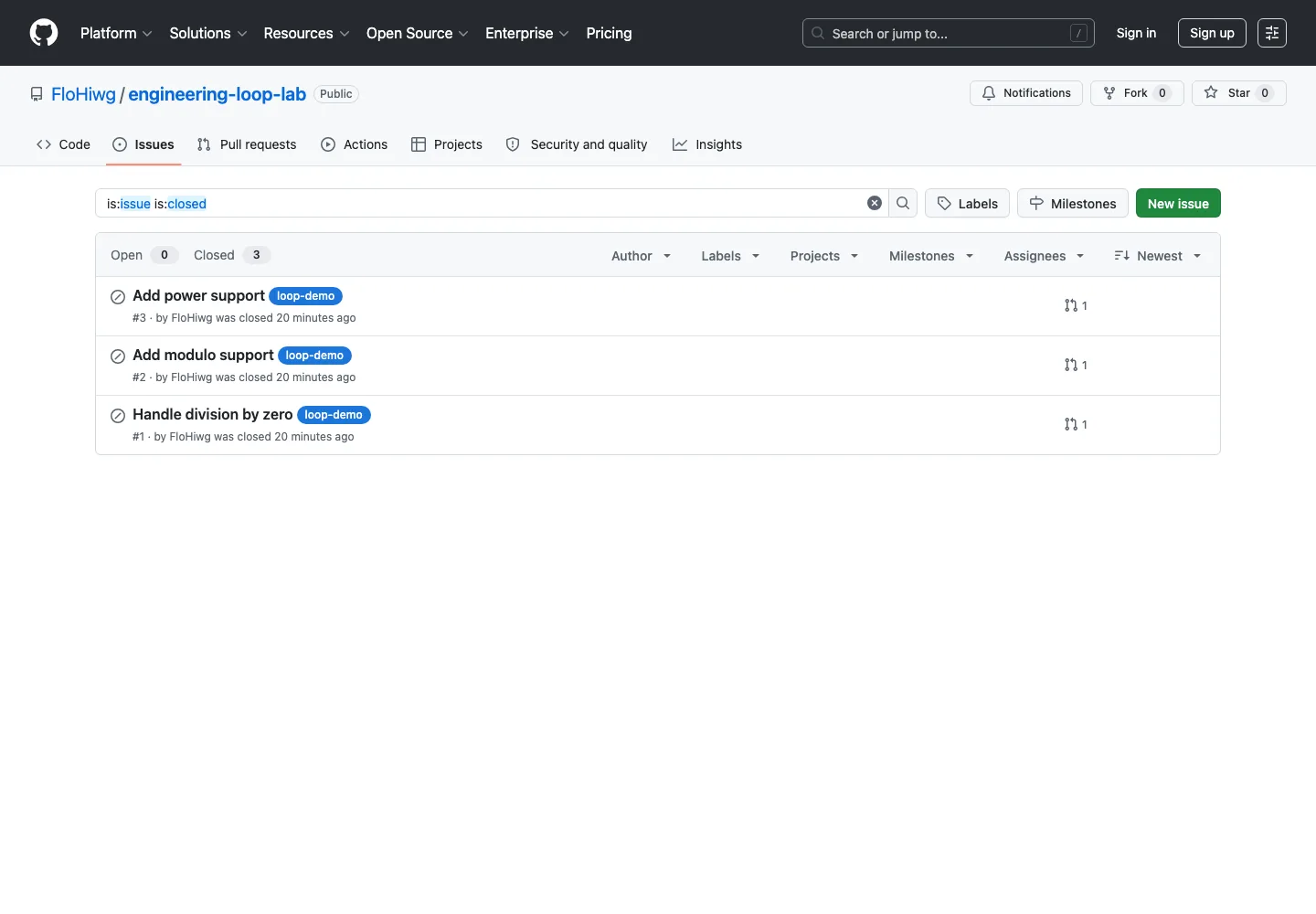
Setup turns three monitoring events into marked GitHub Issues. This screenshot was taken after the completed demo had been reset, so the issues are closed.
The Loop
With setup complete, run:
make loop
The loop reads the monitoring events and the open GitHub Issues to decide what to work on next. It triages the next problem in line, checking whether the task is understood well enough to implement, and if it is ready, starts working on it. The command exits after opening one pull request.
The agents investigate and implement. Workflow code selects work, validates evidence, checks the result, and creates the handoff.
No agent is needed to rank the marked issues.
Issues with an existing demo pull request are skipped.
The terminal prints the issue number and title before triage starts.
Running it three times matters. The same command, repeated, makes the core behavior visible: the loop observes that one task already has a pull request and moves on to the next available one. An all-at-once demo would hide that.
Watch the queue shrink and the pull-request column grow. The orchestration stays the same; only the selected task changes.
$ make setupThree marked issues are ready. The oldest one will be selected first.
Worktrees Keep the Changes Isolated
Each issue gets a branch named loop-demo/issue-<number> and a worktree under an ignored local directory. The main checkout stays clean while the implementation runs somewhere else.
This matters for two reasons. First, it prevents in-progress work from interfering with the next loop run; the loop always starts from a clean default branch. Second, if a run stops halfway through, the next run can inspect and resume the same worktree instead of starting over.
It also makes the mental model concrete:
- the main checkout contains the loop
- the issue worktree contains the proposed code change
- GitHub contains the visible handoff artifact
Inside a Loop Run
When the loop starts, it prints elapsed-time progress so you can follow what it is doing:
[   0.0s] Starting one engineering-loop run.
[   0.0s] Checking that the main checkout is clean.
[   0.0s] Reading repository and GitHub state.
[   4.3s] Found 3 open demo issues and 2 open demo pull requests.
[   4.3s] Selected issue #3: Add power support
[   4.3s] Running the read-only triage agent. This can take a minute.
The triage step is read-only context engineering: the agent receives the monitoring event, the GitHub Issue, and the repository, and its job is to identify the relevant files, any constraints or risks, and a testable success condition. The result is schema-validated and then validated a second time for meaning. A ready result that still contains unresolved ambiguities is rejected. The agent makes judgments; deterministic orchestration code owns the transitions.
After triage, an implementation agent runs inside the dedicated worktree. It edits the code, but does not decide whether the result is accepted. Deterministic Python code runs make check, commits and pushes the branch, and opens the pull request via GitHub automation.
Only the monitoring input is simulated. Use the button to trace what crosses each boundary during one run.
A readable JSONL event carries the failure and acceptance criteria.
Selects work, calls the two Codex roles, validates results, and runs checks.
Holds the issue first and the pull request at the end.
Contains the branch, source changes, tests, and commit for one task.
The pull request is part of the verification surface. During the first real run, the diff showed existing files as newly added because the branch had been created from a local main that was ahead of origin/main. The local tests had passed and the internal loop state looked fine; the problem only appeared at the handoff boundary. Setup and every loop run now require the default branch to match origin/main exactly before any work begins.
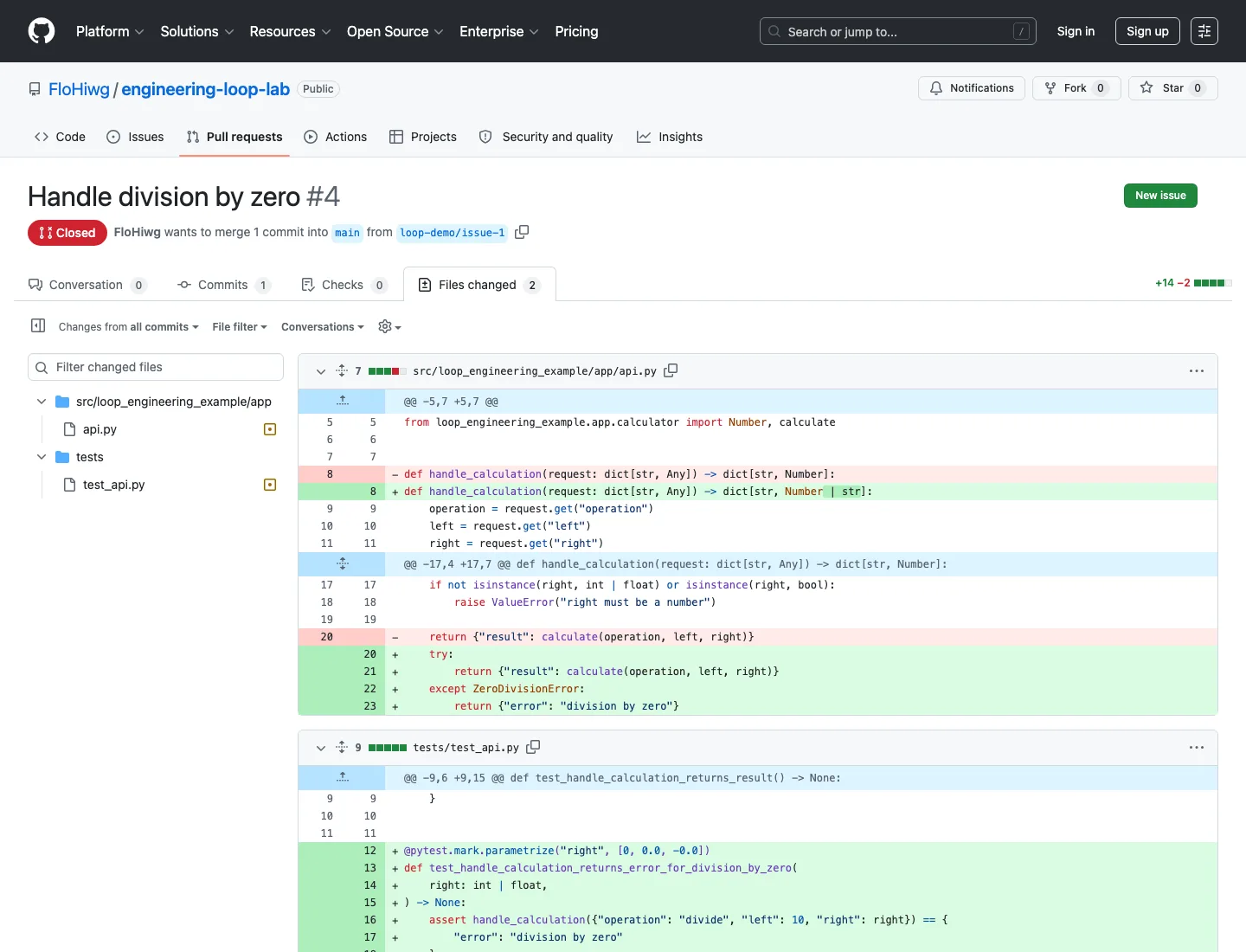
The repaired pull request shows the intended result: two existing files modified, with the API behavior and its tests visible in the diff.
Resetting
To start over from scratch, run:
make reset
This closes the marked pull requests and issues and removes the local run data. It requires explicit confirmation before touching anything.